Home › Guitar tab to sheet music
Convert guitar tab to sheet music
Type the frets of a tab into the editor and standard notation is written above it as you go, with the right pitches for the tuning and capo. Or drop a Guitar Pro file and download the score as a PDF or as MusicXML for MuseScore, Sibelius or Dorico. Free, in your browser.
The converter needs JavaScript. Without it, open the file in the editor and export it from the ⋯ menu.
From a tab you have as text
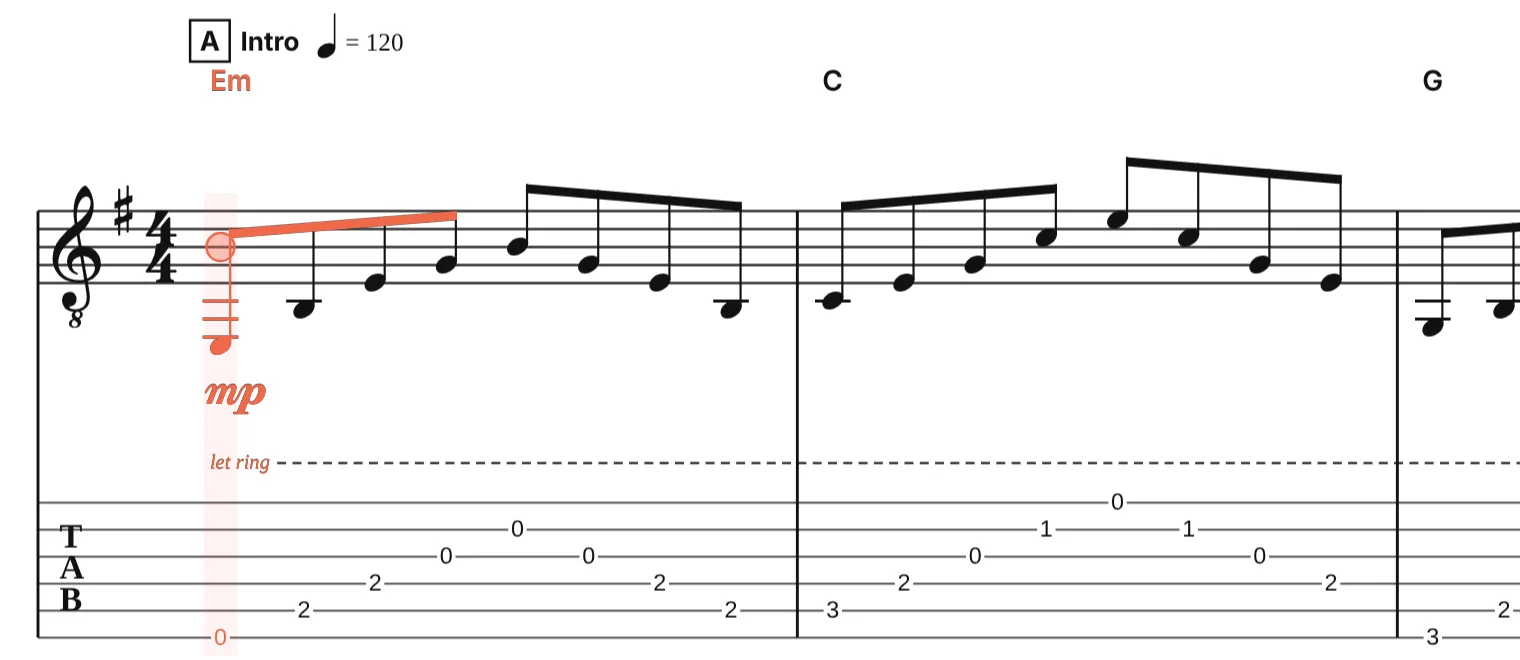
Text tab, the kind on tab sites and in forum posts, cannot be read as a file: it has no rhythm, only frets in a row. The editor is made for typing it in quickly instead. Open a new score, put the cursor on the tab staff, and:
- Press ↑ and ↓ to choose the string, then type the fret number: 0 to 9, or two digits quickly for frets 10 and above.
- Set the note length with + and −, add a dot with ., or a rest with R. The staff above shows the note as you type it.
- Add techniques from the keyboard: H hammer-on or pull-off, S slide, B bend, P palm mute, I let ring, V vibrato.
Press Space at any time to hear it. The notation is written in the guitar’s usual way, an octave above the sounding pitch on a treble clef, and the key signature decides whether a fret is written as a sharp or a flat.
From a Guitar Pro file
A Guitar Pro file already has the rhythm, so it converts in one step: drop it above and download a PDF of the notation and tab, or MusicXML to keep working on the score in another notation program. Files from Guitar Pro 3 to 8 work.
Notation only
To print the score without the tab staff, open it in the editor, open the instrument settings for the guitar, and turn off Show tab. The notation stays, and the PDF export prints only that.
Why tuning and capo matter
The same fret means a different note in a different tuning, so the editor keeps a tuning for every instrument (standard, drop D, DADGAD, open G and more, or any custom tuning) and a capo fret. Set them before typing a tab written for that setup, and the notation comes out at the right pitch. Changing them later keeps the sounding notes and re-fingers the tab.
The other direction
To get tab from a score, see sheet music to guitar tab.
Questions
Can I paste a text tab from a website?
Not as a file: text tab has no note lengths, so no program can turn it into notation without guessing the rhythm. Typing the frets into the editor, with the note lengths as you hear them, takes a few minutes for a song and gives correct notation.
Which clef is used for guitar?
The treble clef with a small 8 below it, as in printed guitar music: the notes are written an octave higher than they sound. Bass uses the bass clef, also an octave up; ukulele and mandolin are written at pitch.
Will sharps and flats be spelled correctly?
Yes. Notes are stored as spelled pitches and new notes take their spelling from the key signature, so a tab in E♭ major is written with flats, not with D♯ and G♯. Press Ctrl+E (⌘E on a Mac) on a note to flip its spelling.
Can I convert a Guitar Pro file without Guitar Pro?
Yes. Drop the .gp, .gp5 or .gpx file on this page and download the PDF or MusicXML. The file is read in your browser; nothing is uploaded.