Home › Import formats › MIDI
MIDI to sheet music and guitar tab
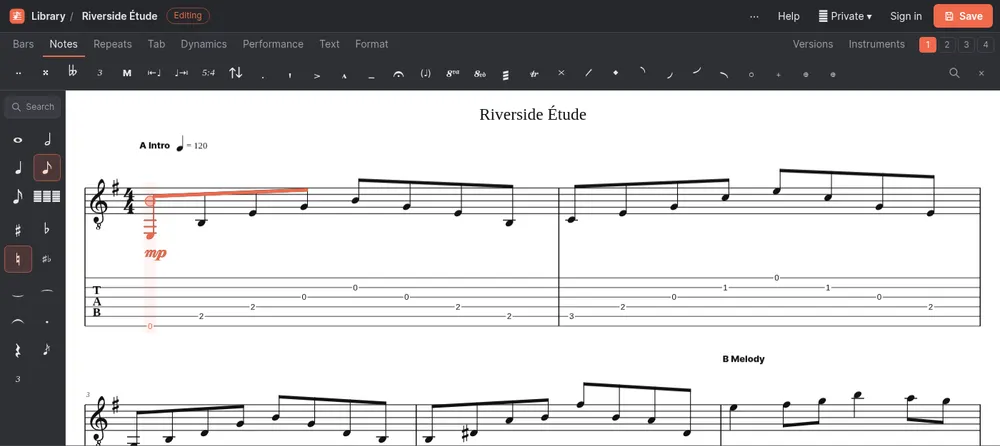
Open a MIDI file and see it as readable sheet music, with guitar tab for guitar and bass parts. Then play it, fix it and export it as PDF, text tab or Guitar Pro.
Supported files
| Extension | What it is |
|---|---|
| .mid | Standard MIDI File (type 0 or type 1) |
| .midi | The same, with the longer extension |
How to open a MIDI file
- On the SimpleNotation home page press Import MusicXML, Guitar Pro or MIDI…, or in the editor open the ⋯ menu and choose Import notation file…
- Pick your .mid, .midi file. It is read in your browser; nothing is uploaded.
- The score opens in the editor, ready to play, edit, transpose and export. Press Save to keep it.
What comes through
- Every channel as an instrument, named from the MIDI track and matched to its General MIDI sound; channel 10 becomes a drum set
- Tempo and tempo changes, time and key signatures, and markers as section names
- Notes and chords, with timing cleaned up to sixteenths, or to triplets where the music swings
- A starting dynamic for each part, from how hard its first notes are played
- Guitar, bass and other fretted parts get tab, with a string and fret chosen for every note
What changes
- MIDI has no spelling, so sharps and flats are chosen from the key signature
- Note lengths are rounded to the nearest sixteenth or triplet; very free playing (rubato, recorded performances) needs tidying afterwards
- Overlapping notes go into a second voice, and notes held under others (let ring) become tied notes
- Repeats are written out, because a MIDI file stores the music in playing order
- Pitch bends, lyrics, sustain pedal and individual note velocities are not imported
MIDI files that work best
MIDI exported from notation or tab software (MuseScore, Guitar Pro, a DAW’s score editor) turns into clean notation, because its notes already sit on the beat. A recording of someone playing a keyboard works too, but its timing has to be rounded, so expect to fix a few rhythms. Files with one instrument per track give the best names.
MIDI to guitar tab
A guitar or bass part gets its frets chosen automatically: chords keep playable shapes, and single notes stay near the last hand position. If a melody is meant for a piano track, change its instrument to guitar in the instrument settings to get tab for it.
Convert MIDI to another format
Once the file is open, export it from the ⋯ menu:
- PDF, to print it as sheet music
- Text tab, to paste the guitar part as text tab
- Guitar Pro, to open it in Guitar Pro
- MusicXML, to keep editing it in MuseScore or Sibelius
- MP3 audio, to hear it with all parts mixed
Questions
Can I convert MIDI to guitar tab?
Yes. Import the MIDI file; guitar and bass parts get tab with a string and fret for every note. You can then export it as text tab, PDF or a Guitar Pro file.
Why are some rhythms wrong after importing a recording?
A recorded performance is never exactly on the beat. SimpleNotation rounds note lengths to sixteenths or triplets, which can split or shift notes in free playing. MIDI made in notation software imports cleanly.
Why does my score have more bars than the original?
MIDI stores music in playing order, so repeats and jumps arrive written out in full.
Is my MIDI file uploaded?
No. It is converted in your browser. Nothing is sent to our server unless you save the score.