Home › Export formats › PDF
Guitar tab and sheet music to PDF
Write your tab or notation in the browser, then download it as a PDF to print, put on a tablet or send to a student. Free, with no watermark and no account.
How to export PDF
- Write your score in the editor, or import a Guitar Pro, MusicXML or MIDI file.
- When it is ready, open the ⋯ menu at the top right of the editor and choose Export → PDF. You can also press Ctrl+K (⌘K on a Mac) and type “export”.
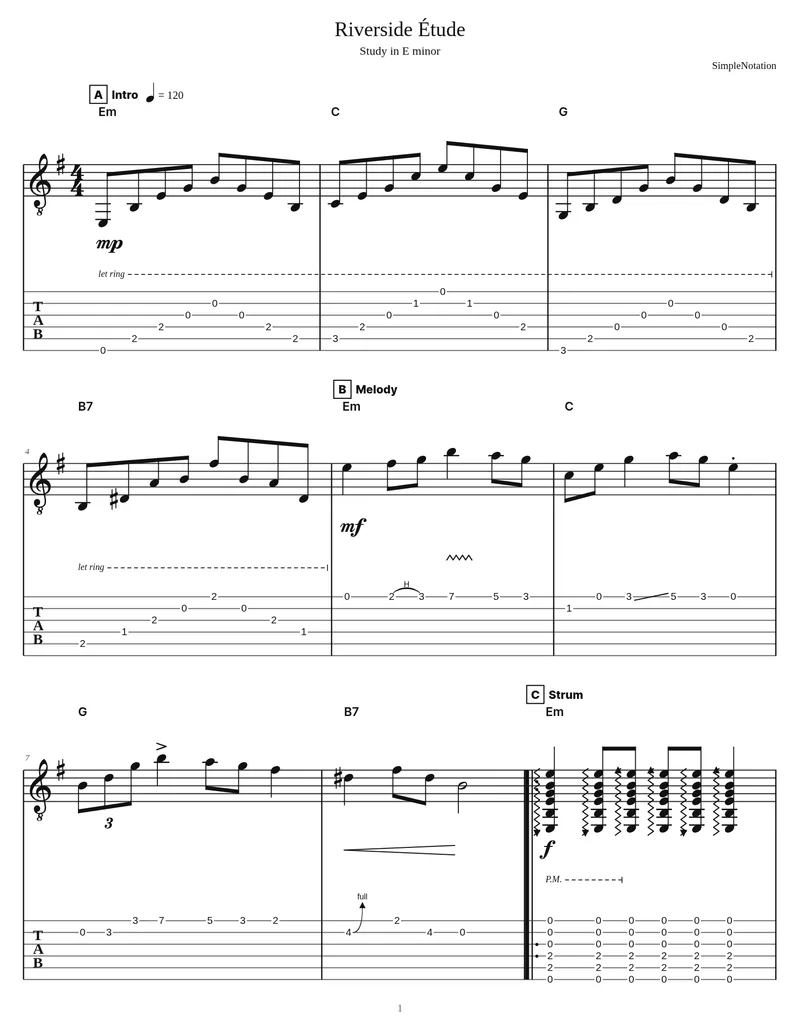
- The PDF downloads straight away, laid out on numbered pages with the title, subtitle and composer at the top.
What the file keeps
- Standard notation and tab exactly as laid out in the editor, for every instrument in the score
- Title, subtitle and composer at the top of the first page, and page numbers
- Chord names, sections, repeats and endings, dynamics, techniques and lyrics
- US Letter pages at 240 dots per inch, sharp enough to print or zoom into on a tablet
What it leaves out
- The pages are images, so the text in the PDF cannot be selected or searched
- Pages are US Letter size; on A4 paper, choose “Fit to page” when printing
- A PDF cannot be opened for editing again. Keep the score saved in SimpleNotation, or also export MusicXML or Guitar Pro
Convert a Guitar Pro, MusicXML or MIDI file to PDF
You do not need the program the file came from. Import a Guitar Pro (.gp, .gp3, .gp4, .gp5, .gpx), MusicXML or MIDI file, check it in the editor, then export the PDF. MIDI files have no tab in them, so SimpleNotation picks strings and frets for you; you can change any of them before you print.
Where to use it
Print it for a lesson or a gig, open it in a sheet music reader such as forScore or MobileSheets, or attach it to an email. If you only need a picture of a few bars for a chat, the PNG export is quicker to share.
Questions
Is there a watermark on the PDF?
No. PDF export is free and the pages carry only your music, title and page numbers.
Can I print on A4 paper?
Yes. The PDF uses US Letter pages; in the print dialog choose “Fit to page” (or “Scale to fit”) and it prints on A4 with slightly wider margins.
Can I turn a Guitar Pro file into a PDF without Guitar Pro?
Yes. Import the .gp, .gp5 or .gpx file into SimpleNotation and export it as PDF. Everything runs in your browser.
Do I need an account?
No. You can write or import a score and export the PDF without signing up. An account only matters if you want to save scores and come back to them.
Other export formats
All exports are free and need no account. Compare every format.