Home › Export formats › PNG image
Save tab and sheet music as a PNG image
Export your score as one sharp image to drop into a group chat, a forum post, a worksheet or slides. No screenshots, no cropping.
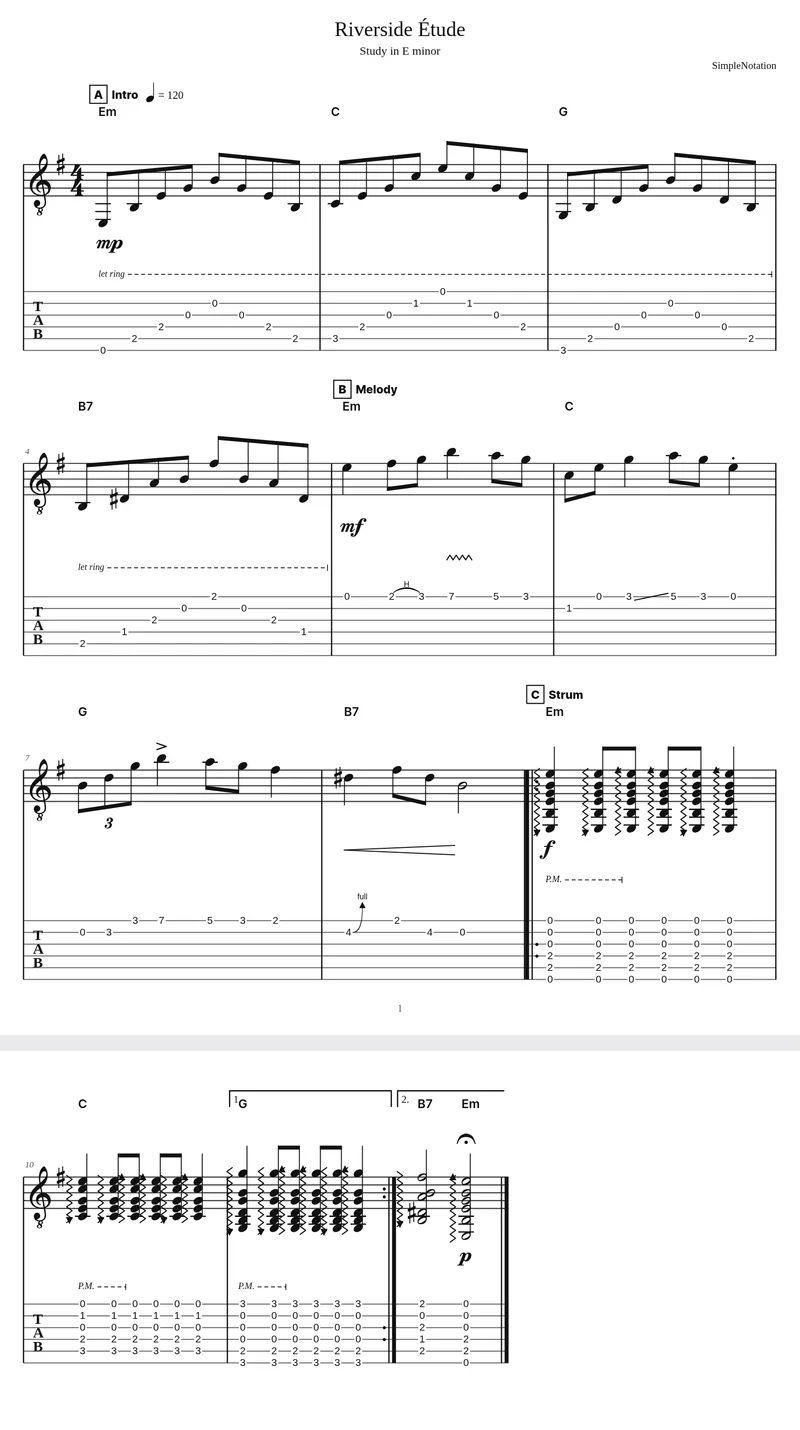
How to export PNG image
- Write your score in the editor, or import a Guitar Pro, MusicXML or MIDI file.
- When it is ready, open the ⋯ menu at the top right of the editor and choose Export → PNG image. You can also press Ctrl+K (⌘K on a Mac) and type “export”.
- A PNG downloads with every page of the score stacked top to bottom, and the empty space under the last line of music trimmed away.
What the file keeps
- Notation and tab exactly as in the PDF, on a white background
- All pages in one image, with a thin gap between them, and the last page cropped to the music
- Twice the on-screen resolution: 1,632 pixels wide, so small note heads and fret numbers stay crisp when someone zooms in
What it leaves out
- An image cannot be played or edited. To share something people can listen to, send a link to the score or export MP3
- Very long scores (more than about 15 pages) would make an image too tall for browsers, so they download as a .zip with one PNG per page instead
- The background is white, not transparent
Why PNG and not a screenshot
A screenshot only captures what fits on your screen, at your screen’s resolution, with the editor’s toolbars around it. The PNG export draws the whole score again at double resolution with page layout, title and all systems, so it looks the same on a phone and on a projector.
Where to use it
Paste it into WhatsApp, Discord or Slack, attach it to a forum or social media post, or insert it into a Google Doc, Word worksheet or slide deck. For printing several pages, the PDF export keeps the pages separate and the right size.
Questions
Why PNG instead of JPG?
PNG keeps thin staff lines, stems and fret numbers perfectly sharp. JPG compression blurs fine black-on-white lines and adds smudges around them.
How big is the image?
It is 1,632 pixels wide. The height depends on the length of the piece: about 2,100 pixels per full page.
Can I export just a few bars?
Export always includes the whole score. To share a short excerpt, copy the bars into a new score and export that.
Other export formats
All exports are free and need no account. Compare every format.